Posts

[Unit Testing] Getting Started with Unit Testing

Image
Unit Testing: Is a software development process in which the smallest  testable parts of an application are individually and independently tested . Simply verifies that individual units of code (mostly functions) work as expected. Is a component of test-driven development (TDD). Usually performed by the developer. Performed using White Box Testing method. Is meant to give the developer more confidence  and trust  in the code. Encourages modularity - write programs that do one thing, and do it well! (Single Responsibility Principal) Involves faking dependencies and methods in order to isolate the scope of the System Under Test (SUT) Simple Example The most simple example is testing the result of a method is within our expectation. For example, we we have a combineNumbers method below: To test this, we simply compare the result of this method with our expected  result. When you run the tests, you will be informed that these tests have passed....

[Unit Testing] Test Doubles (Stubs, Mocks....etc)

Image
In unit testing, isolation is key. The goal of unit testing is to test individual components, and not an entire system . The class/object/function you are testing is System Under Test (SUT) , and the other components of the system are Collaborators or Dependencies. Test Double  is a generic term for any kind of 'pretend' object used in place of a real object for testing purposes.  There are several types of Testing Doubles. We will start with: Fake Stub Mock Command Queries Mocks vs Stubs And then: Dummy Spies Spies vs Mocks I) Basic Testing Doubles a) Fake Fake are objects that have working implementations, but not same as production one. Usually they take some shortcut and have simplified version of production code. Note that Fake is a generic term - that can point to anything; usually mock and stubs. An example of this is an in-memory implementation of a database. This fake implementation will not access the actual database, but will ...

[Front End] Client-side rendering vs Server-side rendering

Do you ever wonder - what can a website not do? You can chat, play games, work on Google Doc.etc.  Server-Side Rendering Traditional way of rendering a website. How it works? Server generates HTML files and sends it to browser (client), where it is displayed as a website. Doesn't matter if new page has one difference than the current page, the browser will ask for the entire page, and re-render everything. Client-Side Rendering Didn't become popular until JavaScript libraries started using this development style; examples are Vue.js and React.js How it works? Instead of getting the generated HTML files from the server, you download the data you need, template HTML(s) and Javascript (libraries). Then, the browser renders the data into the template HTML using Javascript or Javascript Libraries. Server is responsible for less processing (doesn't need to generate the HTML) - this responsibility is pushed to the client (browser). When navigating through ...

[Pragmatic Thinking & Learning Notes] Chapter 2 Summary (Journey from Novice to Expert)

Image
'Introduction: Looking at what it means to be a novice, and an expert, as well as the stages in between. Dreyfus model of skill aquisition - 5 stages through one must pass to go from a novice to an expert. 2.1 Dreyfus Model When moving from novice to expert, you don't just "know more" or gain skill, rather, you have a different experience in the way you view the world, the way you approach a problem, the way you think. 2.1.1 Stage 1 - Novices Definition: No previous experience in this skill area. Very concerned about their ability to succeed. Don't particularly want to learn; they just want to accomplish an immediate goal. Don't know how to respond to mistakes, and so are vulnerable to confusion when things go awry. Good at following rules: "When X happens, do Y". 2.1.2 Stage 2 - Advanced Beginners More flexibility than Novices, but still have difficulties troubleshooting. Can start to use advice in correct context. Although can...

[Pragmatic Thinking & Learning Notes] Chapter 1 Summary

Introduction: # of bugs programmers product in code remained constant for last 40 years despite technological advancement, programming languages, techniques, methodologies and so on. Perhaps we are focusing on the wrong places? Point #1: Software is created in your head, not IDE or other tools. In a paper by Federick Brooks, he says - "the Software Product is embedded in a cultural matrix of applications, users, laws, and machine vehicles. These all change continually, and their change inexorably force change upon the software product". We (developers) are at the center of society advancement. Thus, two most important modern skills are: Communication skills: Example: Agile methods improving communication skills between team members, managers and consumers Learning and Thinking skills. Learn constantly - not just technology, but also the context of the software, industry trends, and people. Point #2: Two most important modern skills are communication sk...

[Network] Add/Delete Static Route in Windows Routing Table & TraceRoute an IP

Image
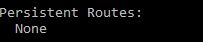
Adding Static Route in Routing Table Syntax of adding static route to routing table in cmd: route add -p destination_IP MASK subnet_mask   gateway_ip   metric_cost(optional) If you don't have a specific subnet_mask, then use 255.255.255.255. metric_cost is a cost relative to other costs in the routing table. Windows decides which route to take based on the metric_cost. Remember to trace route the destination_IP (explained later) after adding a static route to confirm the static route is working (that it does indeed go through your gateway_IP to reach your destination_IP). Removing Static Route in Routing Table Syntax of removing static route to routing table in cmd: route delete destination_IP Print Route To print your routing table, run this in cmd: route print For example, before you added any static route, in your 'route print' you will see none under persistent routes:  After you are done adding a static route, it'll look like this: ...

[Network] Static and Dynamic Routing

Routing Routing is the mechanism that informs the network the procedures to get to different IP networks. Routing is done via devices, known as routers. What's a Routing Table? According to howtogeek.com, "A routing routing table dictates where all packets go when they leave a system - whether that system is a physical router or a PC." Dynamic Route Most routers (including the one in your PC) use some form of dynamic routing, which means the router has the capability to figure out the best place to forward packets based on information from other routers. To see this in action, use the traceroute command to see the connections a packet makes as it reaches its destination. Use Case The use case of dynamic routing would be - imagine you have 100 routers, and you want to add 2 new different subnets. In this case, you will have to add 200 (2 x 100) static routing entries. Pros of using Dynamic Route Removes the likely of human error due to the repetitive n...